

Resources
Video guide
Referee guide

Dribl is the official platform for managing matches in the Marrickville F5’s competition
What officials must do in Dribl for their matches
Please ensure you complete all the steps in Dribl so that scores are up to date for all participating in the competition.
Confirm you are attending
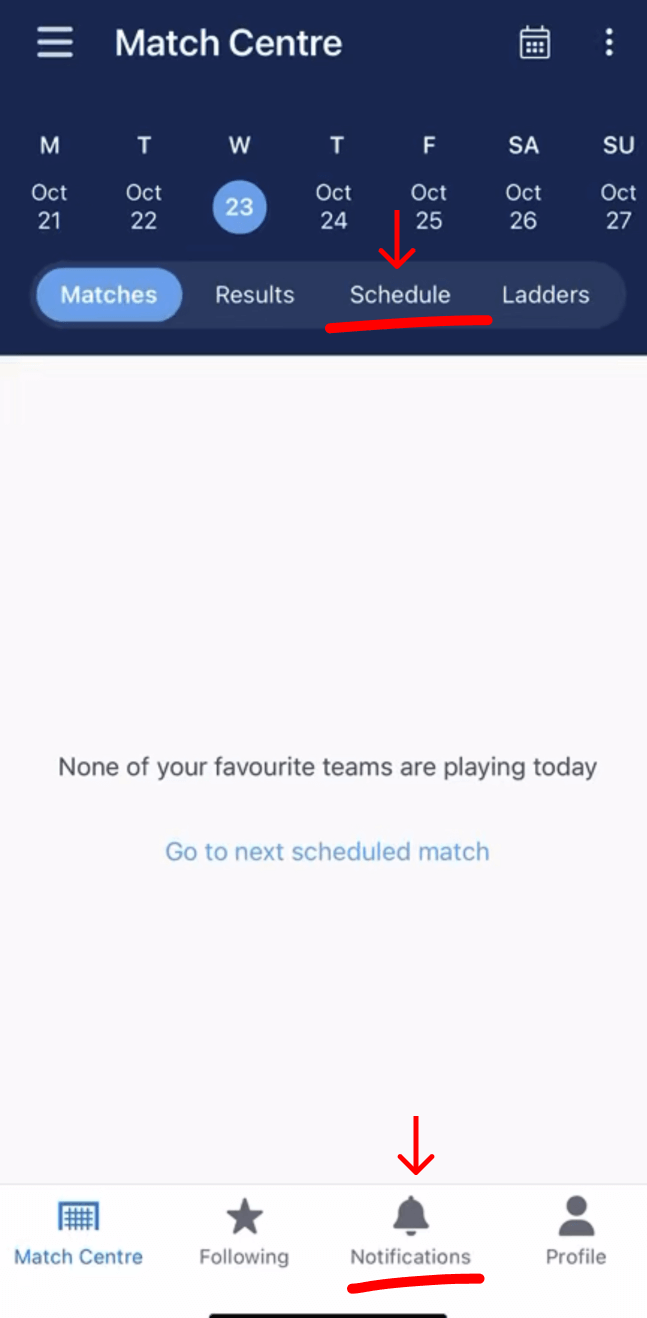
When you open the Dribl app
Click on either ‘Schedule’ or ‘Notifications’ to view the match you will be attending
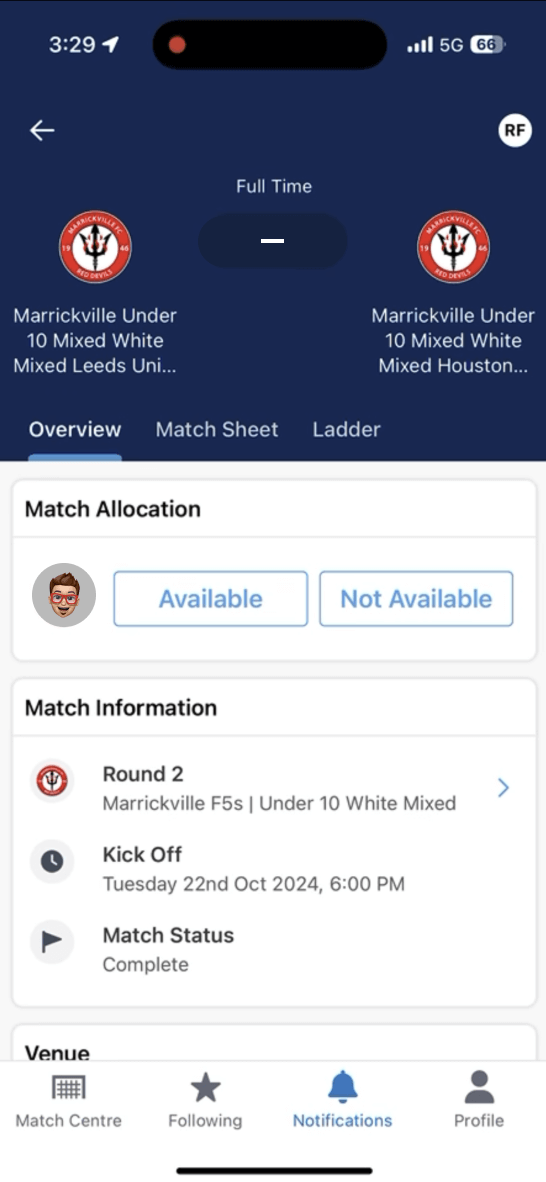
Match allocation
You will be asked to mark your availability for the match
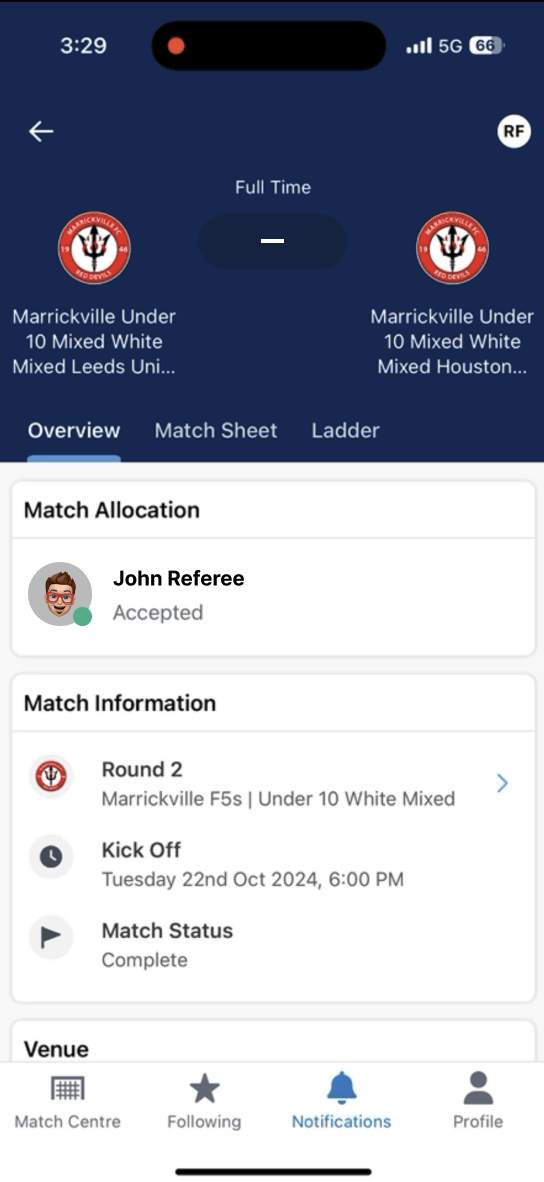
Confirmed availability
When you tap that you are available, it will be saved in Dribl
Start of the match
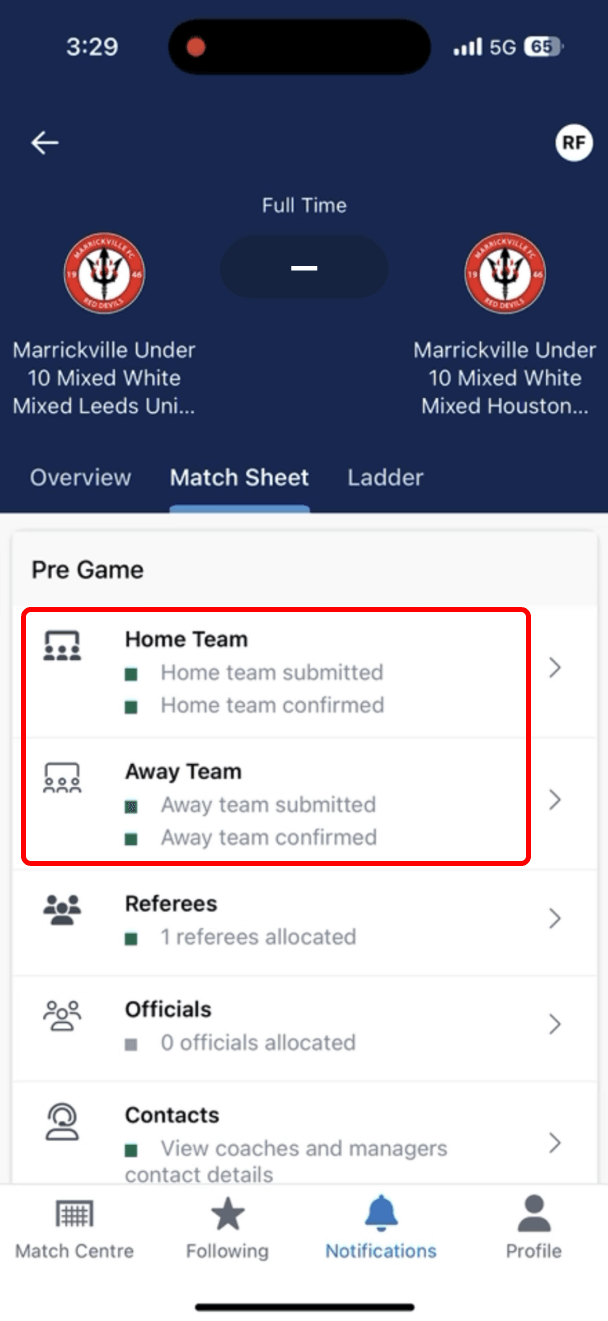
Checking Home and Away team presence
In the Matchsheet section of the app, check that there are 2 green squares for each team
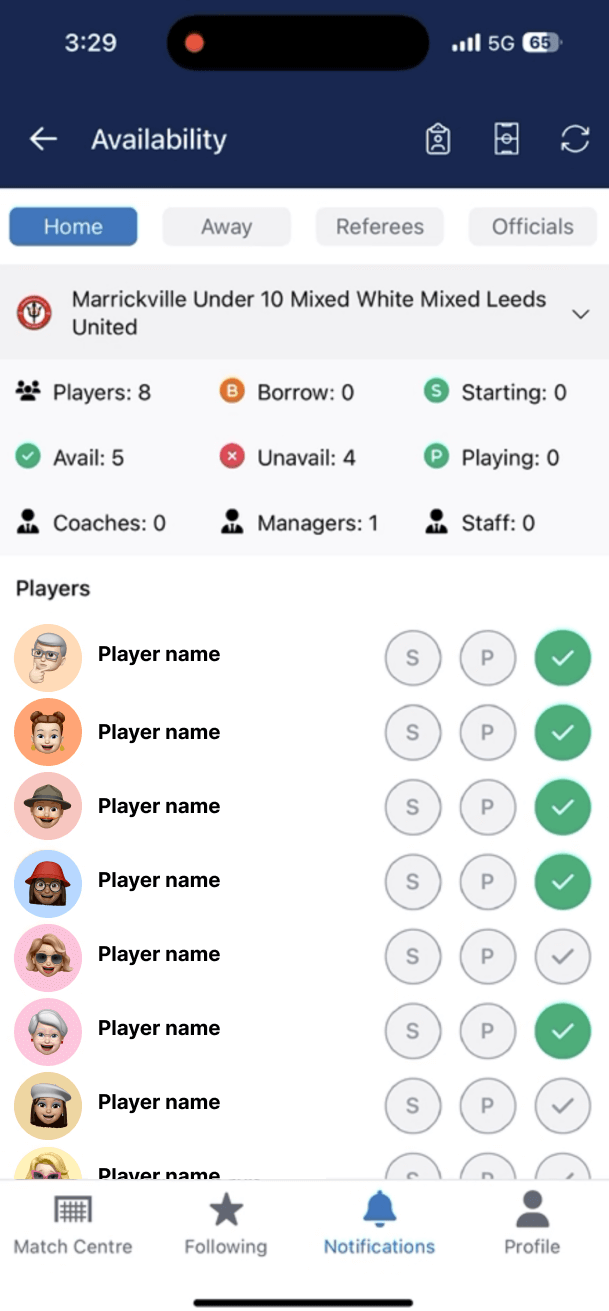
Checking players are present
In each team, check the correct players are present
Enter the scores
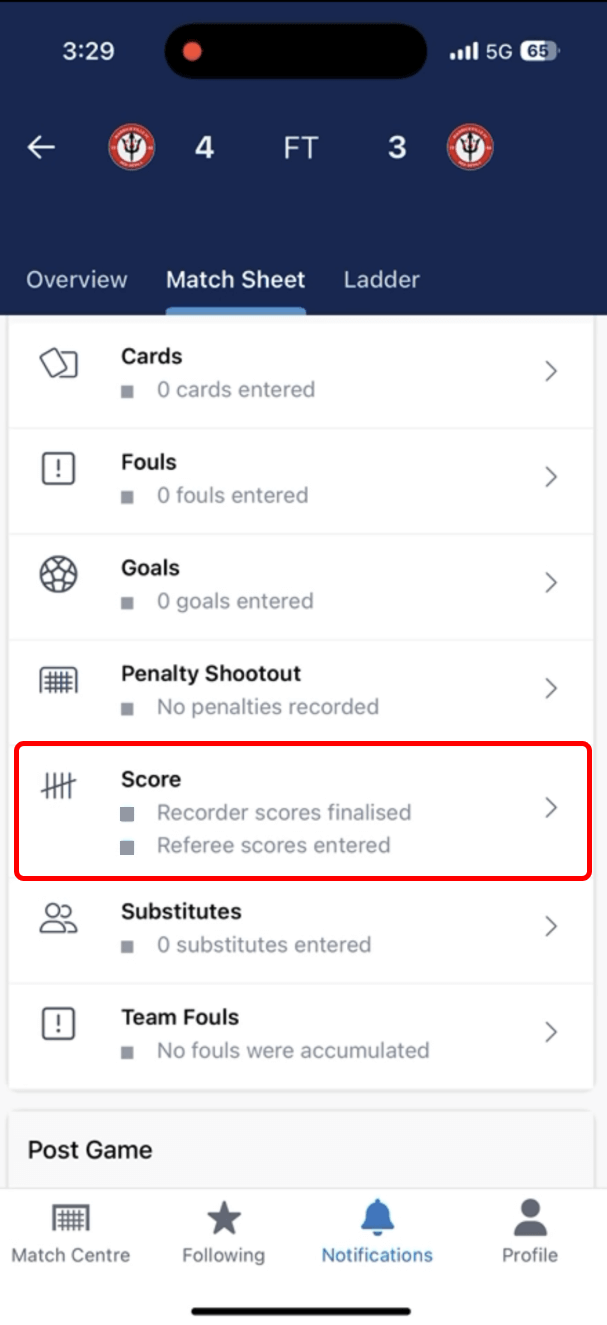
Entering the score at the end of a match
In the Matchsheet section, go to ‘Score’ to start score entry
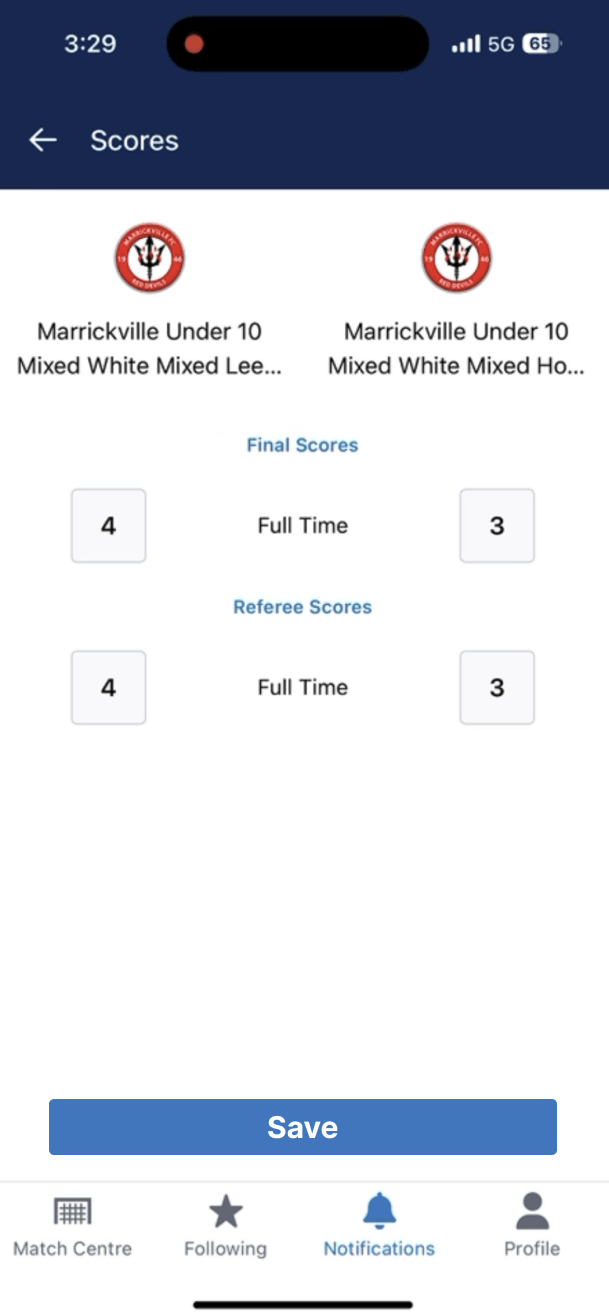
Enter the scores
Enter the scores. Managers of each team must also enter scores in their Dribl accounts
**IMPORTANT** Complete matchsheet
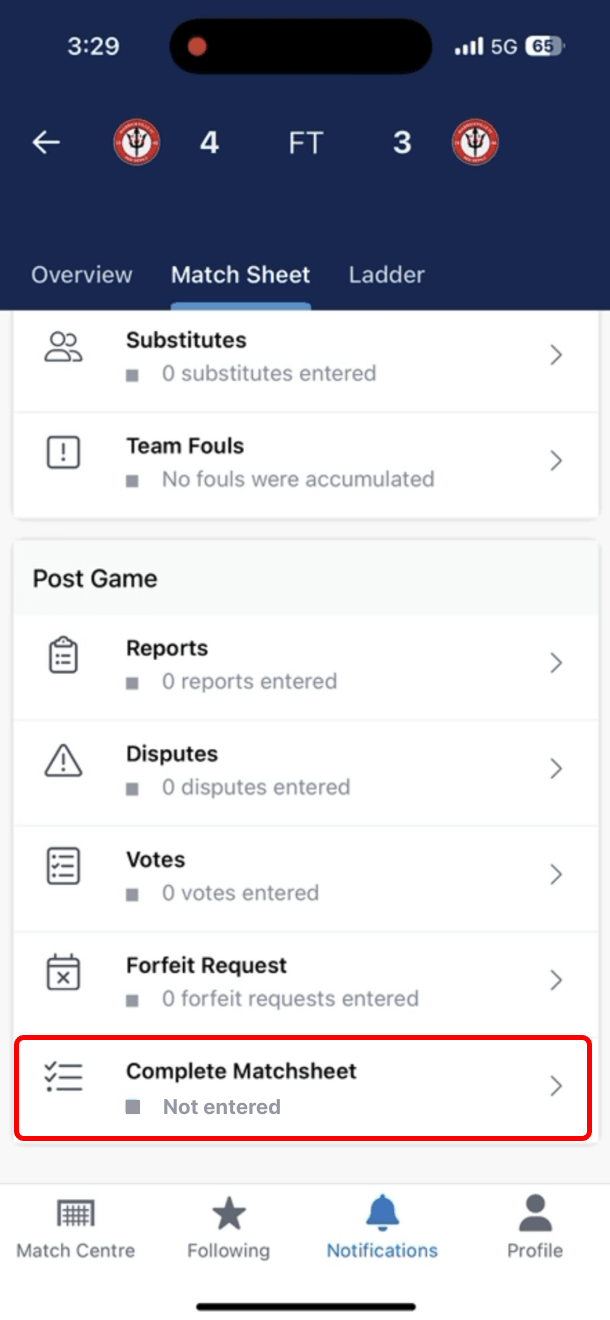
Complete matchsheet
Make sure to complete the matchsheet after you have entered the scores
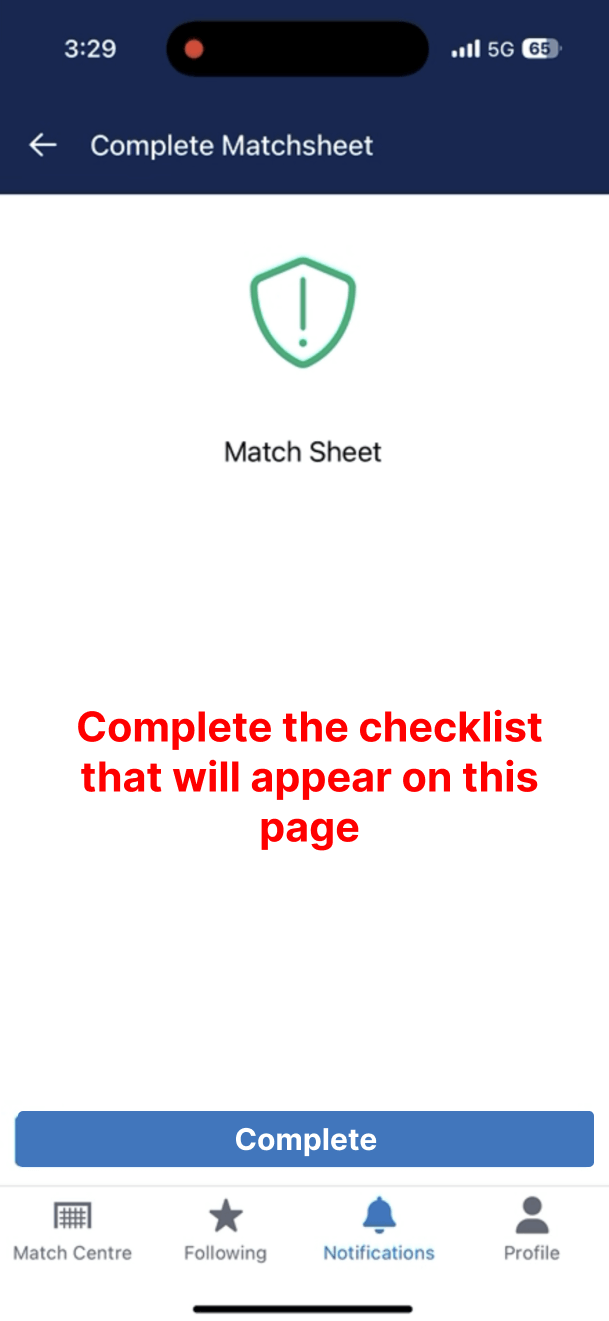
Complete matchsheet
You will be asked to complete the prompts. If all is correct, make sure to click the complete button